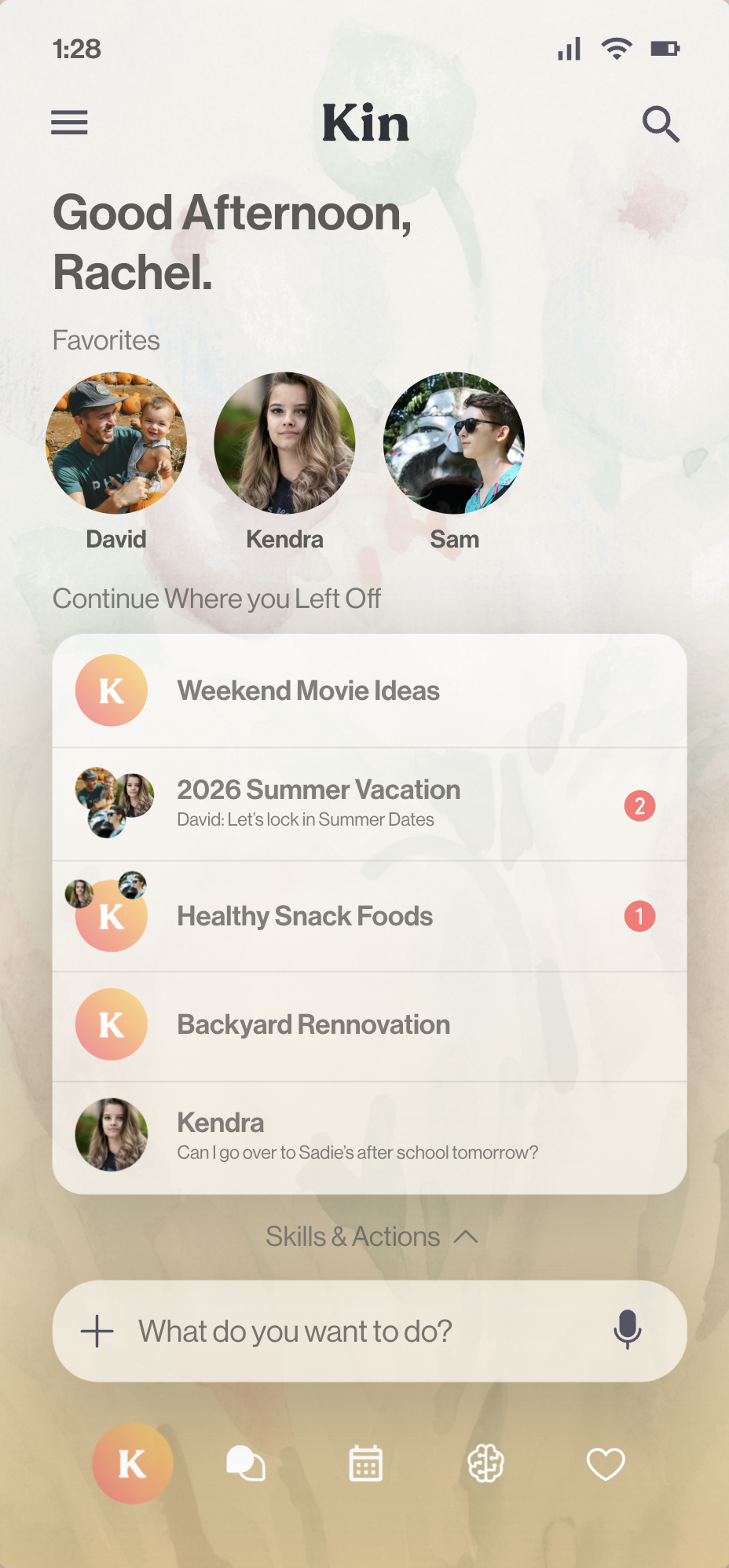
Take control of your
family's digital life.
Free, with every feature included. No subscription, ever.
 is
is
Artificial intelligence lives in someone else’s cloud. Personal Intelligence lives in your home.
Your family’s life lives on other companies’ computers.
They set the terms.
One computer in your home becomes your family’s private cloud.
You set the terms.
What Kin does

Runs at home. Works everywhere.
Your family’s data lives on a computer you own. Reach it from any phone, anywhere, with no company in the middle.
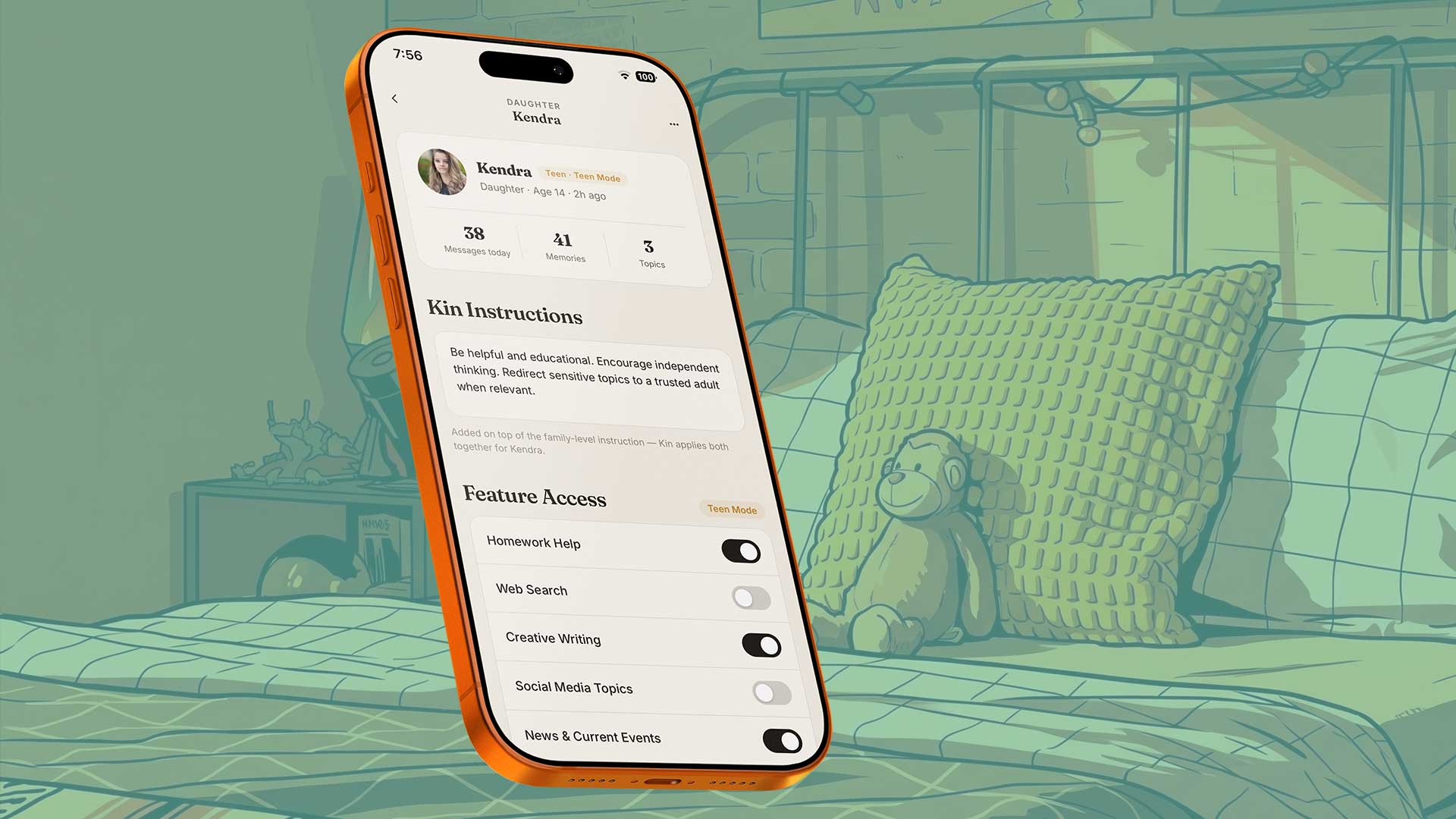
You set the rules.
Decide what each person can use. Kids and teens get a version built for their age, and parents choose what’s on.
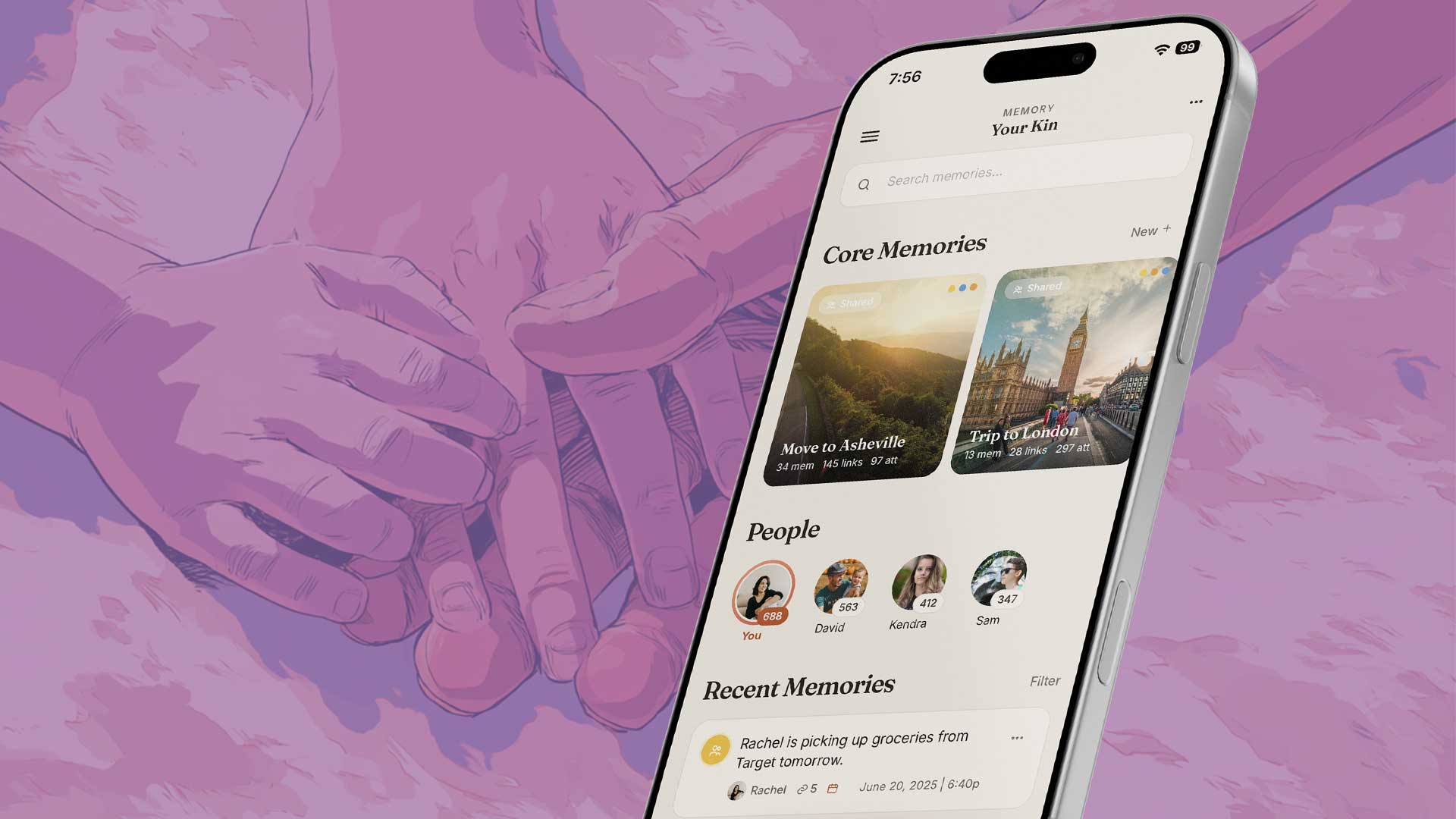
Knows your family, not just your questions.
One shared memory for your household. What one person tells Kin can help everyone, and you decide what’s shared.
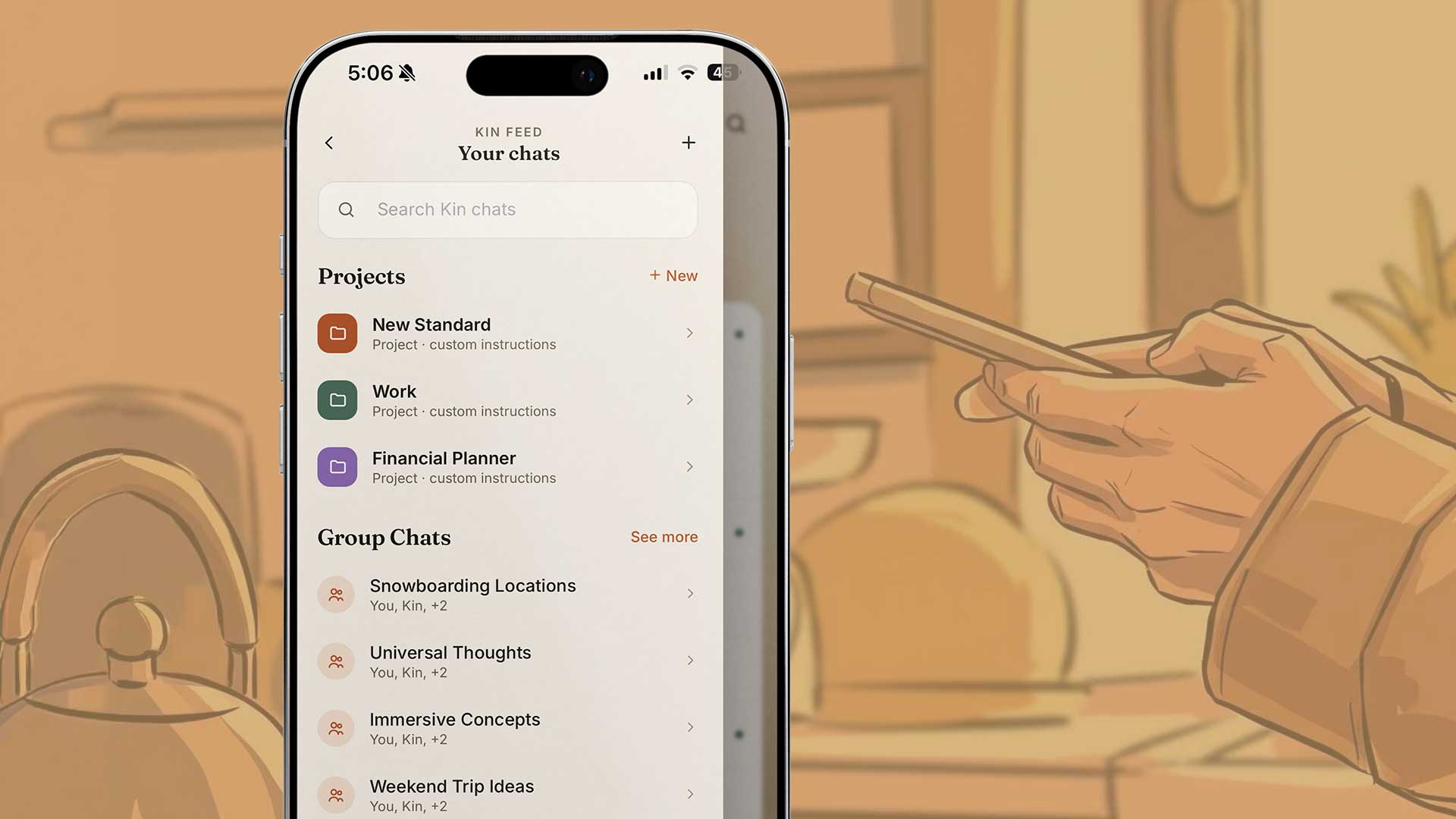
An AI assistant that answers to you.
Everything you’d ask ChatGPT, answered by an assistant that knows your family and keeps what it learns at home.

Yours forever. And free.
No license fee, no monthly fees, no expiration. Your data, your hardware, your intelligence.
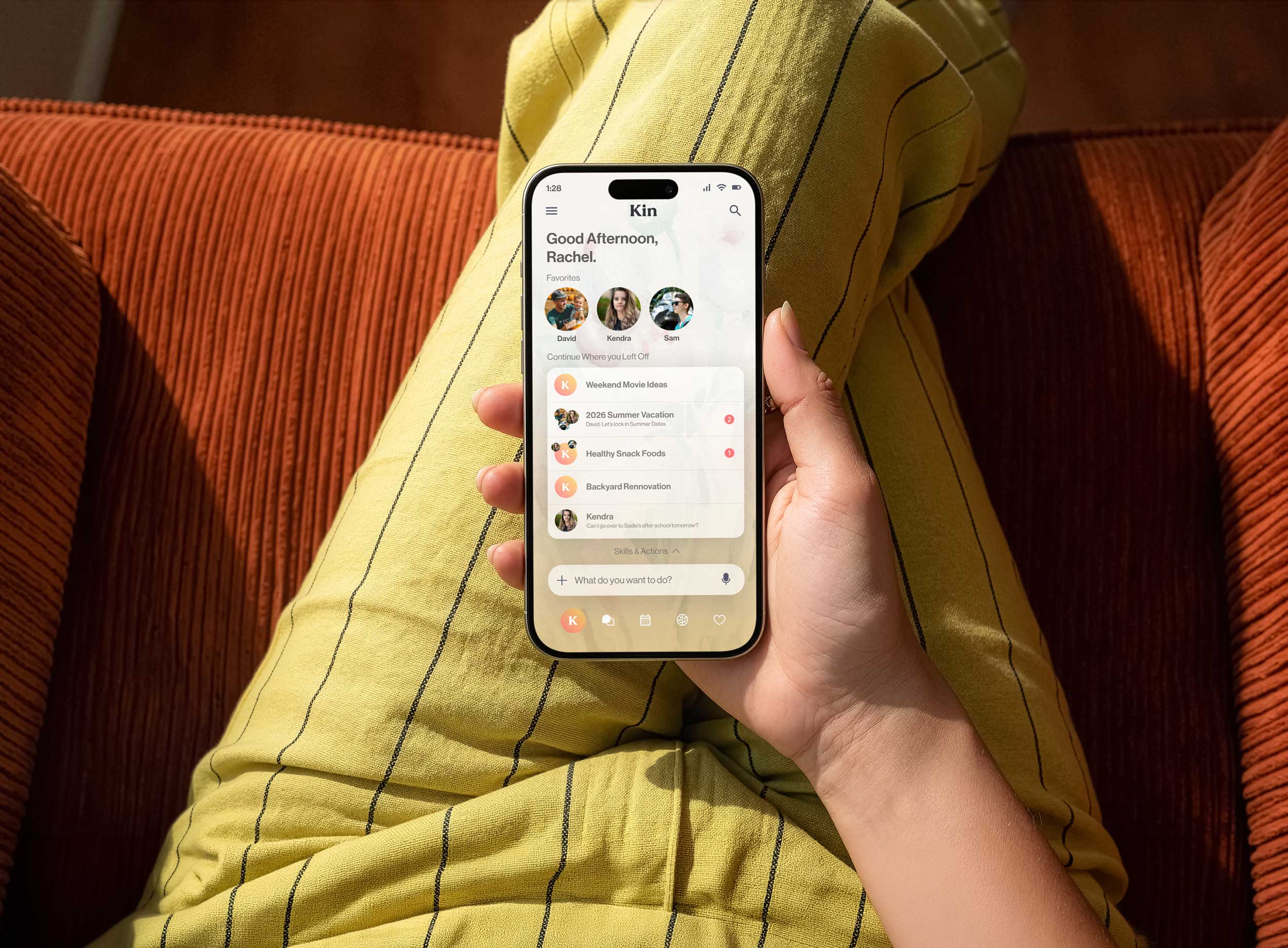 Coming soon
Private family messaging.
Messages that stay on the computer in your home, with no tech company in the middle.
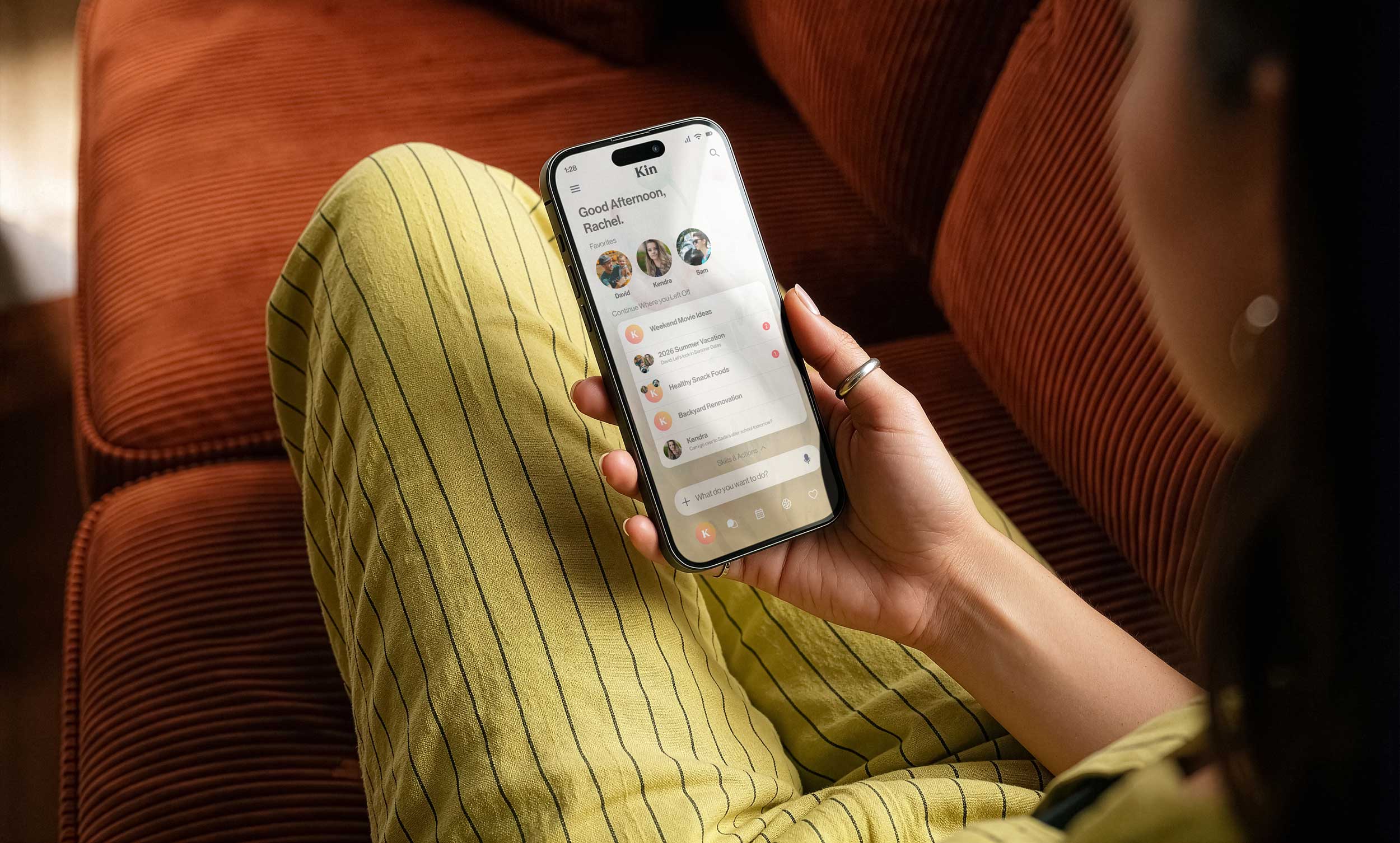 Coming soon
Calendar & Tasks.
Kin sees your family's schedule and helps everyone stay on the same page.
What makes
Kin different
Everywhere else, your family's life lives on someone else's computer, and they decide what happens to it.
 Kin
None of the above
Kin
None of the above
Kin is your own cloud, running on a computer in your home. It learns only your family and answers to no one else.
Free forever
Nothing to buy, nothing to renew. The only cost is the computer it runs on, and you may already own one.
- Local AI, runs entirely on your hardware
- Full memory, your family's complete history
- Family accounts, up to 12 people
- Kin Extended, the most capable local model
- Family coordination and shared planning
Every feature included. No credit card, no account to cancel.
Not like the cloud
you're used to.
| Big Tech | Kin | |
|---|---|---|
| Your data lives on a computer you own | ✕ | ✓ |
| Free to use, forever | ✕ | ✓ |
| No company in the middle | ✕ | ✓ |
| Keeps working when the internet is down | ✕ | ✓ |
| Shared family memory, with parent controls | ✕ | ✓ |
| You own it outright | ✕ | ✓ |
Bring Kin home.
Kin is free and in public beta. We’re a small team, so during the beta we’re releasing it in batches of 1,000 to make sure every family gets a safe, smooth setup and real support. Drop your email and we’ll send your download link when the next batch opens.
Setup takes about 10 minutes. Every feature included. No credit card, ever.
Kin is in public beta, so you may run into a few bugs. Get help any time.
Already set up? Get Kin for Mac, the app for any Mac in your home.
Setup takes about 10 minutes. Every feature included. No credit card, ever.
Kin is in public beta, so you may run into a few bugs. Get help any time.
Already set up? Get Kin for Mac, the app for any Mac in your home.
A computer at home
is all it takes.
Find the right setup for your family
How many people will use Kin in your household?
How active do you expect your usage to be?
What will you mainly use Kin for?
What do you value most?
Do you have a platform preference?
Check if yours qualifies
Kin needs a machine that:
Not sure if yours qualifies? Download the Kin app and it can check for you.
Set up in an afternoon.
Run it forever.

1.
Pick your hardware
Any capable computer in your home will do. We'll help you figure out what fits.

2.
Install Kin Server
Download, run, done. Takes about 10 minutes. No technical experience needed.

3.
Connect your family's devices
Everyone gets their own space on their iPhone or Mac, connected to the same private hub.

4.
Kin starts learning your family's life
Schedules, memories, relationships. All of it stays on your hardware.
See how families use Kin
A few moments from a typical day with Kin at home.

Your morning, handled. Kin briefs the whole family on what's ahead so everyone starts the day on the same page, without anyone having to ask twice.

Homework help, your way. You set the rules for how much Kin helps with schoolwork. It can guide your kids’ thinking instead of doing the work for them.

Never forget what matters. Kin holds on to the details that slip through the cracks so the moments that count actually feel that way.

Get more done, privately. Kin knows your context and your voice, so it can actually help with real work. Nothing leaves the house.

Always on, no exceptions. When the internet goes down, Kin keeps running. It lives on your hardware, so nothing depends on a connection you don’t control.

Context that carries forward. Mention something in the family chat and Kin holds on to it. No need to repeat yourself the next time it matters.

It gets better the longer you use it. Kin builds a richer picture of your family over time, so every conversation gets a little more personal and a little more useful.
Common questions
Kin turns a computer in your home into your family’s own private cloud. Everyone in the family connects from their own phone or computer, at home or away. Kin’s built-in intelligence learns your family over time, and because it runs on hardware you own, nothing it learns ever leaves your home.
Not all at once. Today Kin gives your family a private AI assistant and a shared memory that live on your own hardware instead of someone else’s. We’re building toward more, one piece at a time, and we’ll tell you when each piece is ready.
Because over the last fifteen years, most of our family’s digital life moved onto other companies’ computers, and now AI is learning from everything that’s there. We think the only intelligence that should know your family is one your family owns. So we built Kin: a private cloud that lives in your home and answers to no one but you. Read our full mission →
Not quite. Kin is in public beta: real, working software that we’re still polishing. You may run into a few bugs along the way. If you do, report them in the app at Family → Report a bug, visit our support page, or email hello@meetkin.app.
Not at all. Setup takes about 10 minutes and walks you through each step. If you can install an app, you can set up Kin.
Most modern Macs from 2022 or later work great with Kin. Keep in mind that your computer’s specs directly impact Kin’s performance: more memory and a faster chip means a faster, smarter Kin.
Yes. Kin runs as a server on a computer in your home, so that machine needs to stay on and available whenever you want to use Kin, whether you’re on your home network or connecting in from anywhere in the world. A computer that gets shut off means Kin goes offline. It’s also worth knowing that Kin’s performance is tied directly to the hardware it runs on, so a more powerful machine means a faster, smarter experience.
Yes. Kin supports up to 12 family members, each with their own profile. Parents set the rules for kids and teens. Everyone shares the same private hub.
Nowhere. Your data lives entirely on your hardware at home. Kin never sends your conversations, memories, or family information to any server. Not ours, not anyone else’s.
Nothing. Kin is free to download and free to use, with every feature included. No subscription, no license fee, no upsell. The only thing you need is a computer at home to run it on, and you may already own one.
Yes. Kin runs locally on your hardware, so the core AI works even without an internet connection. An internet connection is required if you want to access Kin remotely or use certain connected features.
They’re free. Bug fixes, improvements and new versions all come at no cost, and you never have to update to keep using the version you already have.
Yes. Kin includes a memory import tool that lets you pull in your conversation history and saved context from ChatGPT and other AI tools. Your existing memories, preferences, and context carry over so Kin can hit the ground running from day one.
Minimum requirements
Most modern Macs from 2022 or later work with Kin. Your computer’s specs directly affect performance.